What Adaptive Cruise Control Actually Does
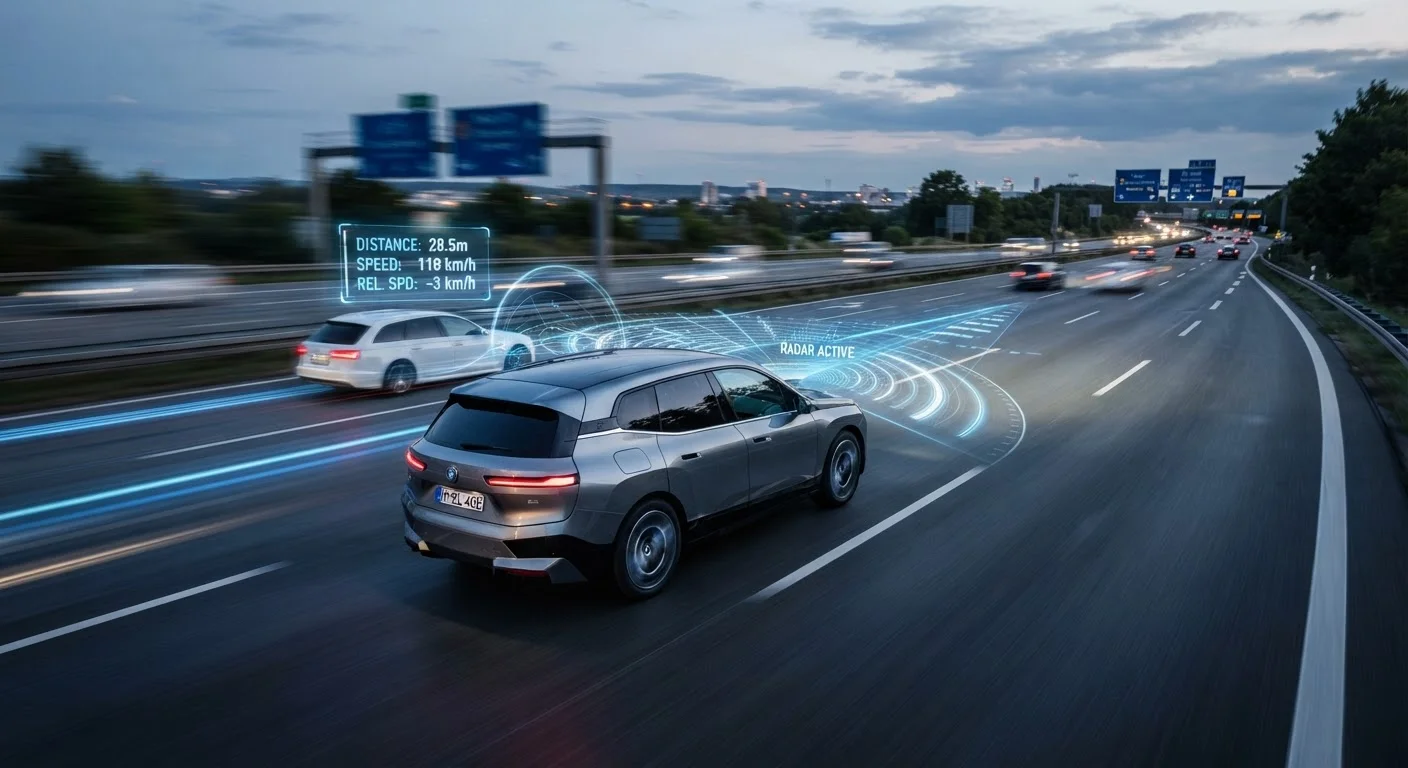
Standard cruise control does one thing: hold whatever speed you dial in. Adaptive cruise control (ACC) does that — and then layers in a second job. Using forward-facing sensors, it continuously scans the road ahead, detects vehicles in your lane, and adjusts your speed so you maintain a set gap behind them without touching a pedal.
When the car ahead slows, ACC applies the brakes gradually. When it speeds up or moves out of the way, ACC gently accelerates back toward your set speed. From the driver's seat, the system feels like a steady, calm co-pilot managing the throttle and light braking — particularly noticeable in highway traffic that pulses between 60 and 40 mph.
For a broader overview of how ACC fits alongside other assistance features, see the ADAS features reference card.
The Sensors Behind the System
ACC doesn't use GPS or maps — it reads the immediate environment through sensors mounted on the front of the vehicle. The most common technologies are:
- Radar: Sends radio waves forward, measures the time they take to bounce back off a vehicle, and calculates speed and distance. Works well in most weather conditions.
- Forward-facing cameras: Identify vehicle shapes and lane markings. More sensitive to poor lighting and heavy precipitation.
- Lidar: Uses laser pulses to build a detailed distance map. Less common on mainstream vehicles but increasingly present on higher-trim models.
Many vehicles combine radar and camera data for a more reliable picture. The system only monitors what is directly ahead in your lane — vehicles in adjacent lanes or crossing traffic are generally outside its scope.
~150 ft
Typical radar detection range at highway speed
Forward-facing radar systems used in ACC commonly begin tracking vehicles at distances of roughly 100–200 feet, depending on sensor design and vehicle speed.
2 sec
Recommended minimum following time gap
Traffic safety guidelines in the U.S. widely recommend a minimum two-second following interval in normal conditions; ACC systems typically offer this as a selectable setting.
3-in-1
Sensor types often combined in modern ACC
Many current ACC implementations fuse radar, camera, and sometimes lidar data to improve detection reliability across varying road and weather conditions.
Following Distance: Your One Key Setting
When you activate ACC, you set two things: a target speed and a following distance. Most systems express the gap in time — typically 1, 2, 3, or 4 seconds behind the vehicle ahead — rather than in feet or car lengths. A two-second gap at highway speeds translates to roughly 175–200 feet of space, which aligns with widely accepted safe-following guidelines.
A shorter setting keeps you closer to traffic flow but leaves less reaction time. A longer setting is more conservative and easier on the brakes. Most drivers find the middle settings practical for highway cruising; a longer gap can invite frequent lane changes by other drivers merging into the space.
If you're deciding between ACC and a standard cruise system on your next vehicle, the comparison of adaptive vs. standard cruise control lays out the practical differences clearly.
Where ACC Falls Short
Understanding what ACC cannot do is as important as knowing what it can. The system has real limitations every driver should internalize:
- It does not steer. ACC manages speed only. Keeping the car in lane is the driver's job, unless a separate lane-centering system is also active. See how those two technologies work together in our guide on lane assist technologies.
- It can miss stationary objects. Some radar-based systems are tuned to track moving vehicles and may not reliably detect a stopped car or debris in the road at highway speed.
- Sensors degrade in poor conditions. Heavy rain, snow, road spray, and even a dirty sensor housing can reduce accuracy or cause the system to disengage. Weather and road conditions can affect all ADAS features, and ACC is no exception.
- It cannot predict driver behavior. A vehicle cutting sharply into your lane gives the system very little time to respond. At highway speeds, driver alertness remains essential.
ACC is a tool that reduces repetitive throttle-and-brake effort on long drives — it is not a substitute for active attention behind the wheel.
Test ACC in Low-Stakes Conditions First
If you've never used adaptive cruise control before, try it for the first time on a familiar, lightly traveled highway rather than in dense traffic. Activate it, observe how the system responds to a vehicle ahead, and practice the brake-to-disengage override. Building familiarity in a low-pressure environment helps you respond calmly when the system behaves unexpectedly in busier conditions.
Using It Well: Practical Guidance
Getting the most out of ACC starts with reading your vehicle's owner's manual. Activation, adjustment controls, and system alerts vary between manufacturers and even between trim levels of the same model. A few consistent principles apply widely:
- Set a realistic speed. Choose a speed that matches road conditions and posted limits — ACC will try to reach that speed when the road ahead clears.
- Choose a conservative following distance until you're familiar with how quickly your system responds.
- Stay engaged. Keep your hands on the wheel and eyes on the road. ACC manages speed; you manage everything else.
- Know the override. Pressing the brake pedal disengages ACC immediately. If traffic conditions tighten suddenly, braking manually is always the right call.
- Watch for system warnings. If the display indicates the sensor is blocked or the system has suspended, take manual control promptly.
For a broader look at how modern safety systems work together, the plain-language field guide to modern car safety tech is a useful companion read.