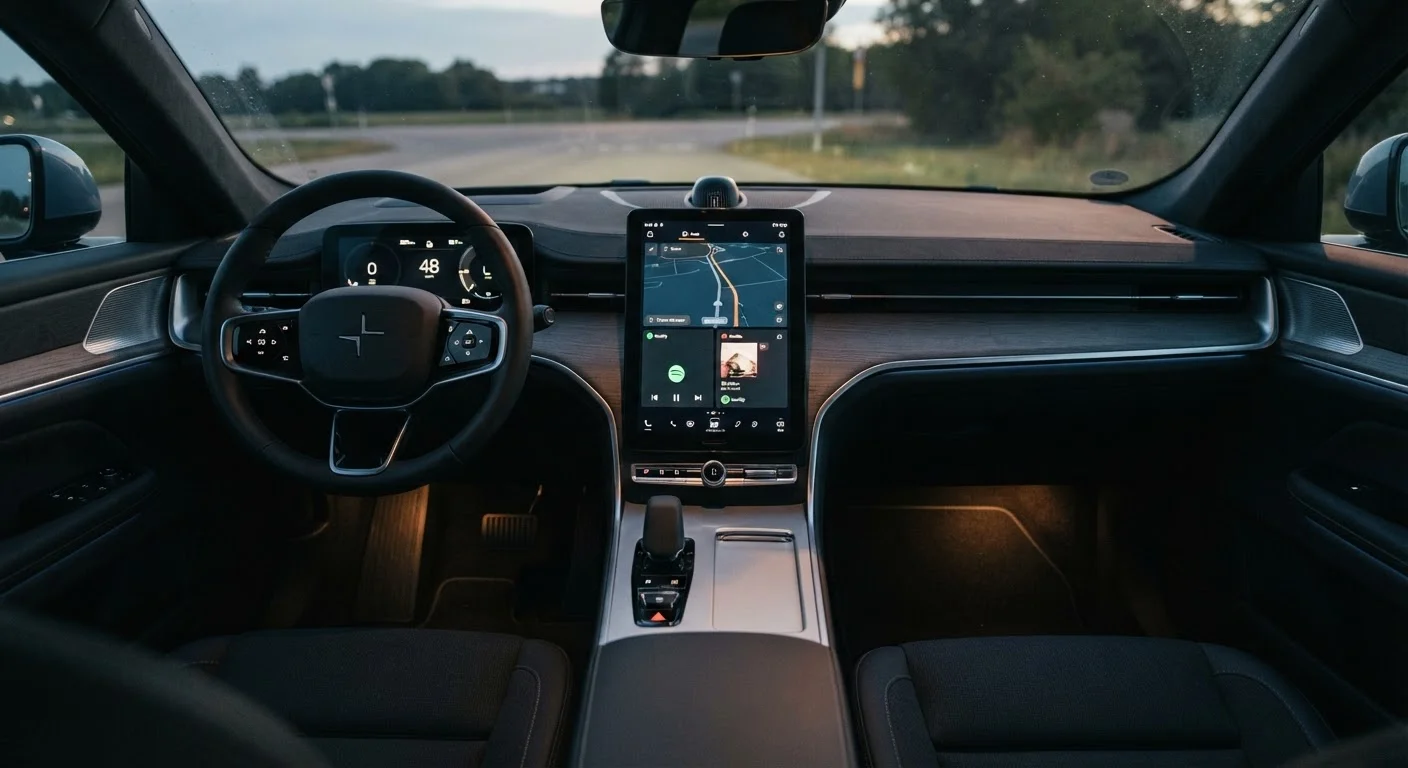
Why Screen Size Dominates the Conversation (and Why That's Misleading)
Automakers and reviewers frequently lead with screen size in inches - a number that's easy to compare and looks impressive on a spec sheet. A 15-inch display sounds substantially better than a 10-inch one, and manufacturers know it. But that single dimension tells you almost nothing about how the system actually performs during a morning commute.
Consider how you interact with an infotainment screen while driving: quick glances, one or two taps, and then eyes back on the road. For that use case, what matters is whether controls are legible, within comfortable reach, and logically organized - none of which are guaranteed by a bigger panel.
Understanding the full picture means looking past the headline number. See our plain-language guide to infotainment screens and settings for a grounded breakdown of what each element actually does.
Myth
A bigger infotainment screen is always easier to use while driving.
Fact
Larger screens can actually increase distraction if menus are complex, controls are spread far apart, or the display is positioned poorly in the cabin.
Size increases the surface area available for content, but it doesn't automatically make that content easier to access. An oversized screen with a poorly designed interface - burying climate controls three menus deep, for instance - will frustrate drivers far more than a compact, well-organized display. Ergonomics, menu depth, and button sizing matter more than inches.
Myth
Higher resolution always looks better on a car's infotainment screen.
Fact
Resolution only improves clarity up to the point where the human eye can detect individual pixels at normal viewing distance - beyond that, gains are imperceptible.
At typical infotainment viewing distances of roughly 24 to 30 inches, pixel density above a certain threshold delivers no visible benefit. What matters is that resolution is sufficient for the screen's size - enough that text and map detail appear crisp. A mismatch where screen size outgrows resolution produces the blurry effect buyers should actually look out for.
Myth
A screen that looks vivid in the showroom will look just as good in your car every day.
Fact
Showroom lighting is controlled and flattering; real-world conditions - direct sunlight, dashboard reflections, varying angles - can dramatically reduce a screen's usability.
Glossy panels with high contrast ratios photograph beautifully and pop under indoor lighting. But the same panel in a sun-drenched parking lot can wash out almost completely. Anti-glare coatings and high peak brightness ratings (nits) are the specifications that predict outdoor performance - neither of which is apparent from a showroom demonstration alone.
Myth
A large screen means all controls are within easy reach.
Fact
On very large displays, controls near the far edges or bottom corners can require significant arm extension, especially for shorter drivers.
Automotive user-interface designers must place frequently used controls - volume, media playback, navigation - within a comfortable reach zone for the driver. When screens grow very large, less-skilled UI design sometimes scatters these controls across the full panel. Before assuming a big screen is convenient, physically reach for controls at its extremes while seated in your normal driving position.
Myth
Expensive vehicles always have better infotainment screens than affordable ones.
Fact
Price tier correlates loosely with screen quality, but some mainstream vehicles offer sharper, more responsive displays than certain luxury counterparts.
Infotainment technology has advanced rapidly, and mid-range vehicles now frequently feature capable displays with solid resolution, fast processors, and intuitive software. Meanwhile, some luxury brands have historically prioritized proprietary interfaces that are technically impressive but awkward to use. Evaluating the system in person remains more reliable than assuming price reflects quality.
What Actually Determines Day-to-Day Usability
Once you move past raw size, four factors consistently shape how pleasant - or frustrating - a screen is to live with.
Resolution and Pixel Density
A screen's resolution describes how many individual pixels it contains; pixel density (measured in pixels per inch, or PPI) describes how tightly those pixels are packed. A high-resolution panel on a compact screen can look sharper than a lower-resolution panel stretched across a much larger surface. When evaluating a vehicle, zoom into the map view or a text-heavy menu and look for jagged edges or blurry type - signs that resolution hasn't kept pace with screen size.
Placement and Viewing Angle
Where the screen sits in the cabin matters enormously. A display mounted too low forces the driver's gaze off the road for longer. One angled toward the passenger can introduce uncomfortable neck rotation for the driver. Ideally, the screen sits near the driver's natural sightline - close to the instrument cluster's vertical plane - and tilts slightly toward the driver seat.
Glare and Ambient Light Performance
Glossy screens look vivid in a showroom with controlled lighting. Parked in direct sunlight, they can become nearly unreadable. Anti-reflective coatings and higher peak brightness (measured in nits) help significantly. Always try to evaluate a vehicle's infotainment in outdoor lighting conditions, not just on an indoor showroom floor.
Processor Responsiveness
A laggy screen is dangerous because it tempts drivers to keep looking until the input registers. Screen size has no bearing on this - it's determined by the underlying processor and software optimization. Learn what causes sluggish touchscreens and how to spot the warning signs before you buy.
For a curated look at which infotainment capabilities consistently deliver real-world value, see infotainment features that genuinely improve daily driving.
Making a Smart Evaluation at the Dealership
Armed with the right questions, a test sit becomes far more informative than any spec sheet. Try these approaches:
- Navigate the menu without help. If finding the climate controls takes more than two taps, that friction will compound over years of ownership.
- Check glare in real conditions. Step outside or park near a window to see how the screen holds up against direct light.
- Test responsiveness. Tap, swipe, and pinch the map. A half-second delay between input and response is noticeable; anything longer will frustrate you daily.
- Assess reach and angle. Sit in your normal driving position and reach for controls at the screen's edges. Discomfort now becomes a habit-forming distraction later.
- Read fine print at a glance. Glance at small text on the navigation screen. If you have to lean in, resolution or font sizing may be inadequate.
Choosing an infotainment system is ultimately about the interface you'll use every day, not the size that photographs well. Once you've selected a system, learn how to get full value from it without driving distracted. For a comprehensive reference covering screens, connectivity, and audio, the complete infotainment and connectivity buyer's reference covers everything end to end.