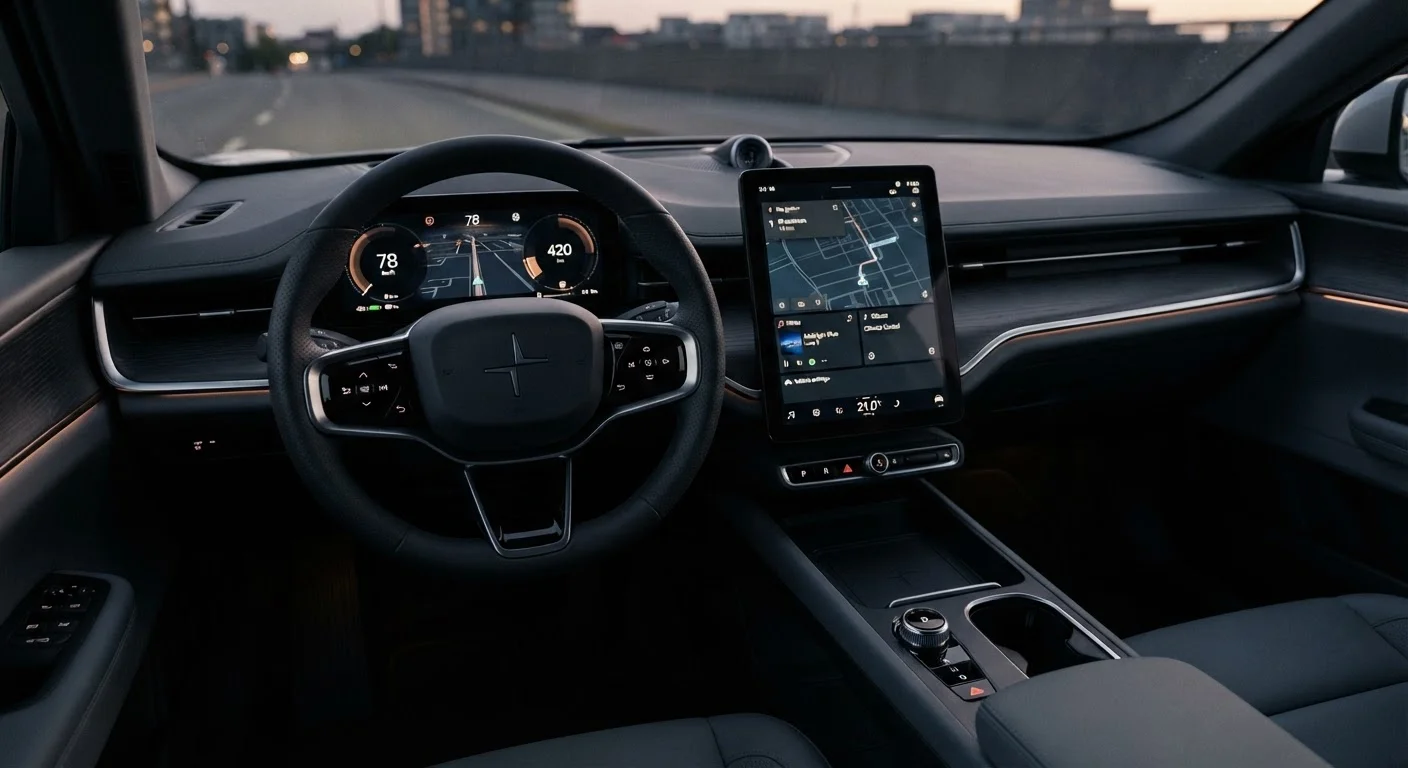
What Infotainment Actually Means
The word infotainment combines "information" and "entertainment," and that double mandate is a useful starting point. An infotainment system is the central electronic hub in a vehicle that handles navigation, audio playback, phone connectivity, climate controls (on many modern vehicles), and driver settings - all typically managed through a touchscreen, physical controls, or both.
Understanding this scope matters because automakers bundle very different capabilities under the same label. One vehicle's "infotainment" may mean a 7-inch screen with Bluetooth audio, while another's means a 15-inch display managing nearly every vehicle function. Knowing what components make up a system helps you compare vehicles on equal footing when you research. The Research & Compare hub offers a broader framework for structuring that comparison process.
Screen Size and Interface: What to Evaluate
Screen size is the most-marketed infotainment specification, but it is not the most important one. A large display with laggy touch response or deeply buried menus creates more frustration than a smaller, well-organized screen. Two dimensions deserve equal attention:
- Responsiveness: Does the screen react immediately to touch input, or is there a noticeable delay? Lag makes routine tasks - changing a song, adjusting volume - require repeated taps while driving.
- Menu depth: How many taps does it take to reach climate controls or switch audio sources? Shallower menus reduce eyes-off-road time.
Physical controls (knobs and buttons for volume and tuning) remain genuinely useful. Many drivers find them faster and safer than touch equivalents because they can be operated without looking. If you drive frequently in changing conditions, note whether climate and audio functions retain dedicated physical controls or are fully screen-dependent.
Before your test drive, set your phone to the screen you'd most commonly project (a navigation app), then hand it to a salesperson and ask them to connect it while you watch. How long it takes and how many steps it requires tells you exactly what that setup will feel like every morning.
Real-world setup time is rarely reflected in spec sheets, but it shapes daily usability significantly - particularly for drivers who frequently switch between vehicles or upgrade phones.
Ask specifically which trim level first adds wireless CarPlay or Android Auto, not just whether the vehicle supports it. Wireless capability is often reserved for mid-range or higher trims and is not always clearly marked in standard configurator tools.
Many buyers discover after purchase that their selected trim requires a cable, which is a routine but avoidable disappointment when wireless was the deciding factor.
Smartphone Integration: CarPlay, Android Auto, and Wireless
Apple CarPlay and Google Android Auto project your phone's navigation, messaging, and media apps onto the vehicle screen using a consistent, familiar interface. For most drivers, this integration is the most practically valuable infotainment feature because it keeps navigation maps current through your phone's data plan rather than relying on the vehicle's built-in maps, which may require paid updates.
The distinction between wired and wireless versions of these systems is meaningful. Wireless CarPlay and Android Auto eliminate the need for a USB cable but require both the vehicle's hardware and your phone to support the wireless standard. Not every vehicle that advertises wireless integration actually delivers it on all trim levels - confirm this at the trim level you intend to purchase.
Some automakers also offer their own proprietary navigation and voice assistant systems alongside CarPlay/Android Auto. These vary widely in quality. Treat third-party integration as the reliable baseline and evaluate the native system as a secondary consideration. For a deeper look at which features consistently benefit everyday driving, see infotainment features that genuinely improve daily driving.
Audio Systems: Separating Real Quality from Marketing
Automakers frequently partner with audio brands to create co-branded speaker systems. These partnerships are real, but the branding alone tells you little about actual acoustic quality. What matters more is speaker count and placement, amplifier power, and whether the system includes signal processing to compensate for the vehicle's acoustic environment.
On a test drive, evaluate audio quality yourself with music you know well. Listen for:
- Clarity at mid to high volume without distortion
- Balanced reproduction across bass, midrange, and treble
- Consistent sound quality across different seating positions
Standard audio tiers are adequate for most listeners. Premium audio packages add meaningful cost and are worth evaluating carefully against your actual listening habits before treating them as a required upgrade.
Over-the-Air Updates and Long-Term Software Health
A vehicle's infotainment system is software running on hardware. Like any software, it benefits from updates that fix bugs, improve performance, and occasionally add features. Over-the-air (OTA) updates allow a manufacturer to deliver these improvements wirelessly, without requiring a dealership visit.
Not all manufacturers offer OTA updates, and those that do vary in how frequently and for how long they support a given vehicle. This has practical ownership implications: a system that feels current at purchase may feel dated within a few years if it receives no meaningful updates. When evaluating a vehicle, ask specifically whether the infotainment system receives OTA updates and what the manufacturer's stated support period is.
This is also relevant for electric and hybrid vehicles, where software often plays a larger role in managing drivetrain functions alongside infotainment.
Features That Add Daily Value vs. Features That Look Good on a Spec Sheet
Some infotainment features improve daily driving in measurable ways. Others primarily serve as selling points. Understanding the difference helps you allocate your budget more effectively.
Consistently valuable features:
- Wireless smartphone integration (reduces cable dependency)
- Voice command for navigation and calls (reduces screen interaction while moving)
- Multiple USB-C ports with fast charging (serves multiple passengers)
- Automatic volume adjustment based on vehicle speed
Features that vary in real-world usefulness:
- Built-in Wi-Fi hotspots (useful if you often have passengers; redundant if you tether from your phone)
- Rear-seat entertainment screens (genuinely valuable for families with children; rarely used otherwise)
- Large-screen displays beyond roughly 10 to 12 inches (useful in larger vehicles; may feel excessive in compact cars)
It is equally worth considering how infotainment complexity interacts with driver attention. A system packed with features can become a distraction if it encourages interaction while moving. The companion article getting the most out of your infotainment without driving distracted addresses this directly. For a wider view of in-cabin distraction risks, phone distractions are not the only danger in your car provides useful context.
How to Evaluate Any Infotainment System Before You Buy
The most reliable evaluation method is hands-on interaction during a test drive. Spec sheets describe features; a test drive reveals how those features feel in practice. Prioritize these checks:
- Connect your own phone and confirm CarPlay or Android Auto works at the trim level you are considering.
- Navigate two or three menu paths - find a radio station, change the temperature, start a route - and note the number of steps each requires.
- Test voice commands with a natural phrase to assess accuracy and response time.
- Play music you know and evaluate audio quality at a moderate volume.
- Check whether physical controls exist for functions you use frequently.
For a structured checklist covering these and additional evaluation points, what to check in a car's infotainment system before you sign anything walks through the process step by step.
~80%
New vehicles with CarPlay or Android Auto support
Industry estimates suggest the large majority of new vehicles sold in the US now ship with Apple CarPlay, Android Auto, or both as standard or available features.
3-5 years
Typical software support window for infotainment systems
Support periods vary widely by manufacturer; some provide ongoing OTA updates well beyond this range while others discontinue updates relatively quickly.
Infotainment quality is increasingly a factor in long-term ownership satisfaction. Approaching it with the same rigor you apply to mechanical specs will help you make a more complete, confident purchasing decision.