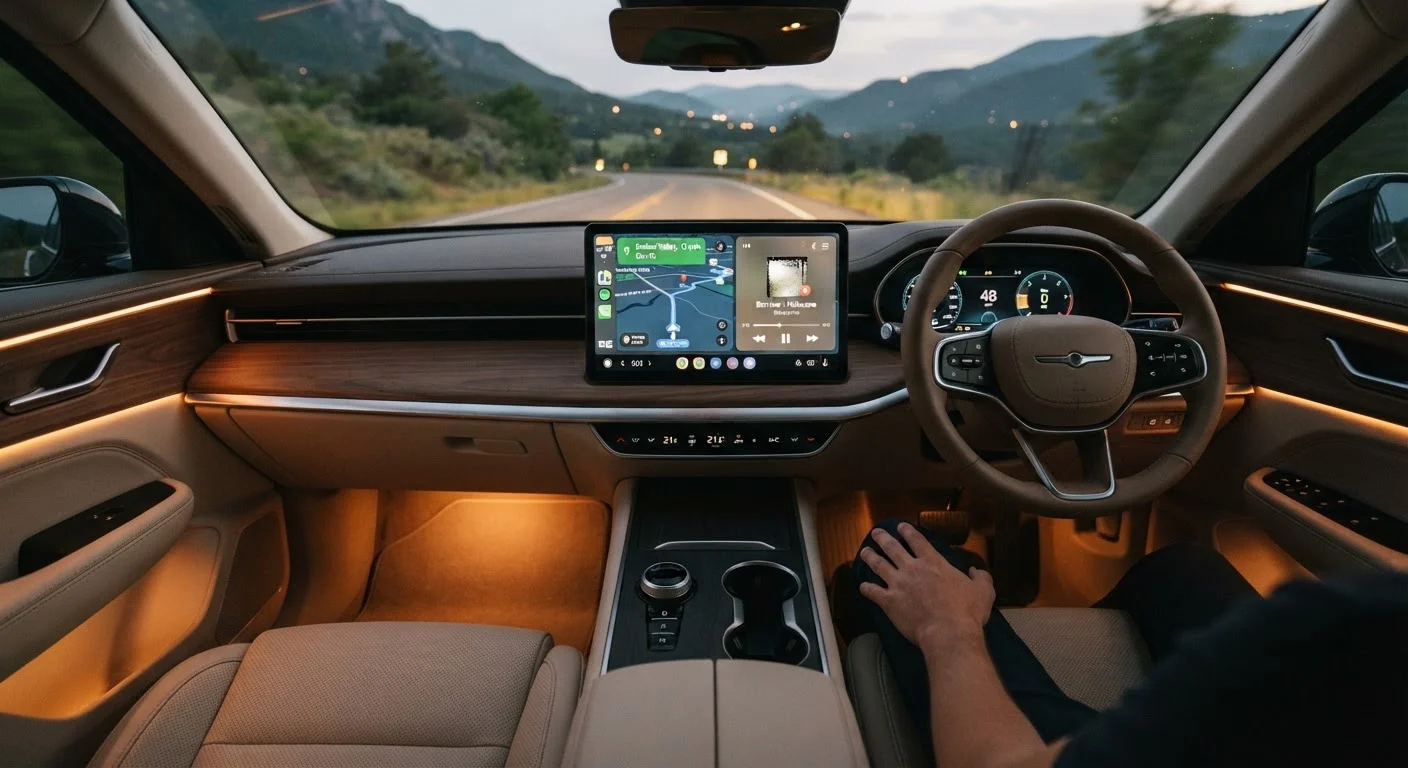
Why Some Infotainment Features Actually Matter
Automakers increasingly compete on screen size and feature counts, but bigger numbers don't always translate to a better daily experience. The infotainment features that genuinely improve your commute are the ones that reduce friction - getting you connected faster, keeping distractions lower, and making routine tasks feel effortless rather than fiddly.
This list focuses on features that consistently deliver real-world value, not just showroom appeal. For a broader look at how different infotainment priorities compare, the complete buyer's reference covers the full landscape end to end. And if you're still evaluating vehicles, our pre-purchase infotainment checklist gives you a practical framework for test drives.
Wireless Apple CarPlay and Android Auto
Wired smartphone integration has been standard on most vehicles for several years, but wireless CarPlay and Android Auto represent a meaningful upgrade. You place your phone in a cupholder or bag, start the car, and your familiar navigation, messaging, and audio apps appear on the screen within seconds - no cable required.
The practical benefit is consistency. Your phone's maps stay current without a separate subscription, your contacts and playlists carry over automatically, and the interface is one you already know. For drivers who switch phones frequently or share a vehicle, wireless connectivity removes a small but genuinely recurring hassle. See how this compares to built-in navigation on the built-in nav vs. phone GPS breakdown.
Wireless integration means your maps and apps are ready before you've fastened your seatbelt.
Reliable, Low-Latency Voice Control
Voice control ranges from genuinely hands-free to actively dangerous depending on how well it's implemented. A responsive system - one that understands natural phrasing, processes commands in under a second, and doesn't require memorized syntax - lets you change the temperature, send a message, or reroute without glancing at the screen.
A sluggish or unreliable system, by contrast, tempts drivers to abandon voice commands and reach for the touchscreen instead, which is precisely the behavior it's meant to prevent. During a test drive, try issuing commands from a noisy environment and with the heat or AC running. Responsiveness under real conditions tells you far more than a quiet showroom demo. For strategies on staying safe while using your system, getting full value without distraction is worth reading alongside this.
Voice control only reduces distraction when it works reliably the first time, every time.
Over-the-Air Software Update Support
A car that can update its own infotainment software wirelessly - sometimes called OTA (over-the-air) updates - is one that can get meaningfully better after you drive it off the lot. Bug fixes, interface improvements, new features, and security patches can all be delivered without a dealership visit.
This matters more than it might initially seem. Infotainment software at launch sometimes has rough edges that manufacturers smooth out in subsequent updates. Vehicles without OTA capability are effectively frozen at their launch-day software state. For a clear explanation of what these updates can and can't change, how OTA updates work walks through the specifics.
OTA capability means the software you live with can improve - sometimes significantly - over time.
Physical Shortcut Controls Alongside the Touchscreen
Counterintuitively, one of the most valuable infotainment features isn't on the screen at all. Dedicated physical buttons or knobs for volume, fan speed, and heated seats - placed within reach of the driver's natural hand position - allow adjustments without ever looking away from the road.
Many automakers have moved toward all-touchscreen interfaces for aesthetic reasons, but usability research and driver feedback consistently suggest that the most practical systems retain physical controls for the highest-frequency functions. When comparing vehicles, pay attention to which tasks require screen interaction versus which can be done by feel. A well-placed volume knob is a small thing that earns its place every single drive.
Physical controls for high-frequency functions are often more useful than additional touchscreen menus.
Integrated Driving and Energy Data Displays
Many modern vehicles - particularly hybrids and EVs, but increasingly conventional gas cars as well - include dashboards that display real-time fuel economy, energy flow, and range estimates. When well-designed, these screens help drivers understand how their habits affect efficiency without requiring any active input.
The practical benefit is that you're better equipped to make on-the-fly decisions: whether to take the highway or surface streets, when to charge, and how factors like climate control affect range. For EV buyers especially, an accurate and easy-to-read range display reduces the anxiety that comes with uncertainty. The key word is accurate - range estimates that consistently underperform their display erode trust quickly.
Clear, accurate range and efficiency displays reduce uncertainty and help you drive more confidently.
Multi-Device Bluetooth Pairing Memory
Most drivers pair their phone to their car once and forget about it - until they get a new phone, lend the car to a partner, or upgrade their device. Infotainment systems that store multiple Bluetooth profiles and reconnect to the correct device automatically handle shared vehicles gracefully, without a manual re-pairing ritual each time.
Some systems go further, learning which profile to prioritize based on which phone is detected first. This is a modest feature in isolation, but it removes a recurring friction point that affects many households. Check how many devices a system can store, and whether priority can be set, during your evaluation. Common assumptions about how Bluetooth pairing works are among the misunderstandings covered in infotainment assumptions that cause regret.
Automatic multi-device reconnection turns a minor daily nuisance into a non-issue.
Putting It Together Before You Buy
The features above share a common quality: they reduce the mental effort of routine driving tasks rather than adding new ones. A system that requires you to tap through three menus while moving defeats its own purpose. When you're evaluating vehicles, pay attention to how quickly each feature responds, how easily it can be accessed without looking away from the road, and whether it still works reliably when your phone is across the seat.
Test These Features During the Test Drive
Don't take a salesperson's word that a feature works well - test it yourself under conditions that mirror your actual commute. Connect your phone wirelessly, issue a voice command with road noise present, and adjust the climate controls without looking at the screen. Thirty minutes of hands-on evaluation surfaces usability issues that no spec sheet will reveal.
It's also worth distinguishing genuinely useful capabilities from those that look impressive on a spec sheet but rarely get touched. The features that rarely get used article offers a candid counterpoint. For day-to-day use, systems that fade into the background - doing exactly what you need without demanding your attention - are almost always the ones worth prioritizing.