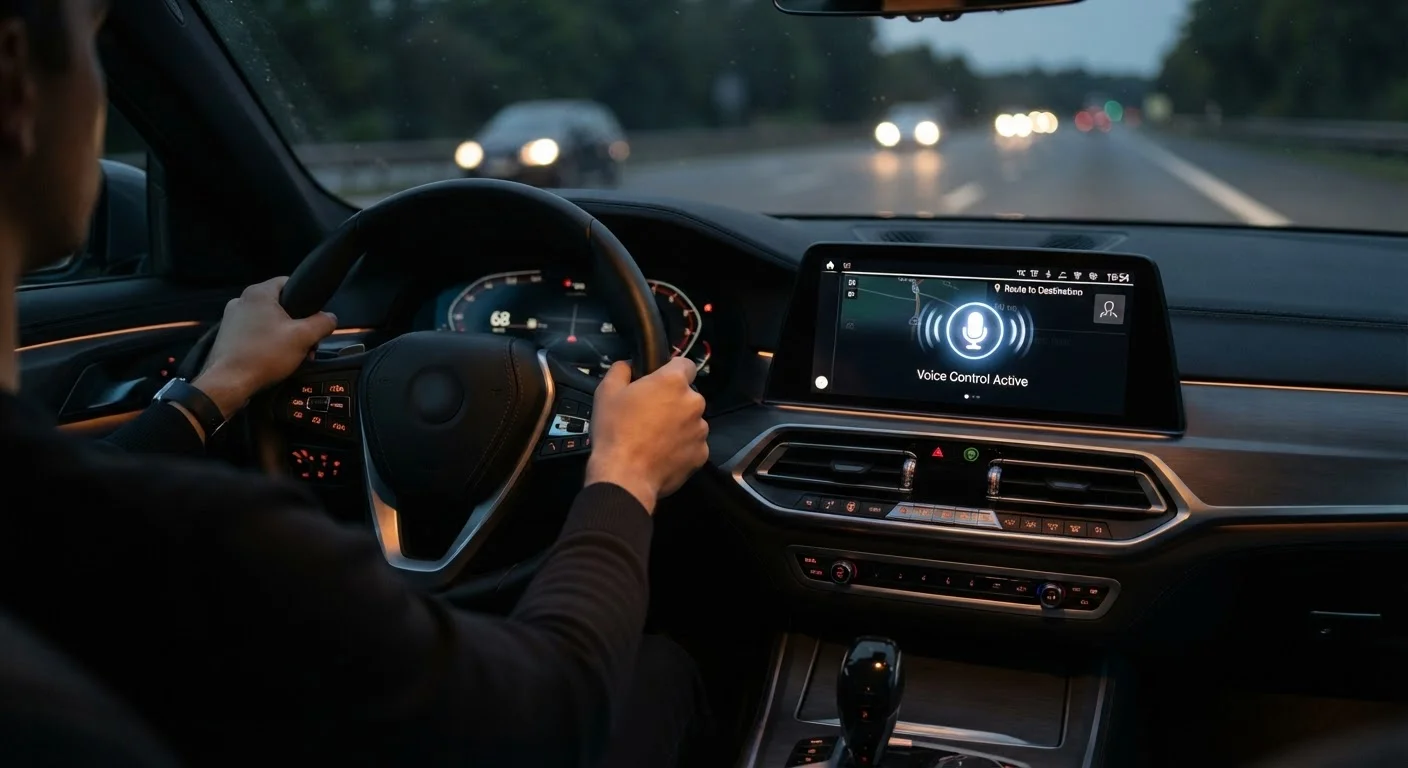
Two Types of Voice Systems - and Why the Difference Matters
Most new vehicles offer two overlapping layers of voice control: a native system built into the car's own software, and a phone-based assistant accessed through Apple CarPlay or Android Auto. Understanding how these differ is the first step to knowing what you're actually getting.
Native systems - the ones activated by pressing a steering wheel button or saying a wake phrase like "Hey " - are designed to control vehicle-specific functions: climate, seat heating, radio presets, and navigation through the car's built-in maps. Their depth of control over the car itself is usually greater than any phone-based alternative.
Phone-based assistants (Siri for iPhone users, Google Assistant for Android) run on your smartphone's processing power and tap into your contacts, calendar, messaging apps, and streaming services. They tend to understand natural language more fluently, but they can only control the car indirectly - changing the volume or switching a source, for example, rather than adjusting the cabin temperature.
CarPlay and Android Auto work differently in key ways, and those differences affect how well voice features perform in practice. Knowing which assistant you'll rely on most should factor into your trim selection.
What Voice Control Handles Well
Voice control earns its place in the cabin when it reduces the need to glance at a screen or reach for a control. The tasks it consistently handles well are narrow but genuinely frequent:
Hands-free navigation destination setting
Speaking a destination address is consistently one of the better-supported commands across both native and phone-based systems, keeping eyes on the road during what would otherwise require multiple screen taps.
Placing and receiving phone calls without screen interaction
Calling a contact by name is a high-success-rate command on most modern systems, especially when contacts are synced from a smartphone via CarPlay or Android Auto.
Basic media control - skip, pause, volume
Simple playback commands are handled reliably by almost every voice system, whether native or phone-based, and represent a meaningful safety gain over reaching for the screen.
Climate adjustments on supported vehicles
Newer native systems often allow temperature and fan-speed commands, which spares the driver from hunting through submenus - particularly useful when wearing gloves in cold weather.
Reduced cognitive load for routine tasks
When a command works the first time, voice control keeps the driver's attention where it belongs. Research consistently shows that voice interaction, when successful, creates less visual distraction than touchscreen interaction.
For these use cases, even modestly capable systems deliver a real safety benefit. The distraction cost of interacting with infotainment while driving is well-documented, and voice is one of the more effective mitigations available when used for simple commands.
Where Voice Control Consistently Falls Short
The limitations are just as important to understand as the capabilities, especially for buyers considering a premium trim upgrade based partly on voice features.
Inconsistent accent and dialect recognition
Voice systems trained predominantly on certain accents can misrecognize commands from speakers with regional or non-native accents, leading to repeated failed attempts that are more distracting than simply using the screen.
Poor performance in high-noise environments
Wind noise at highway speeds, loud passengers, or heavy rain can degrade recognition accuracy significantly - precisely the moments when a driver most wants hands-free control.
Limited vocabulary and rigid phrasing requirements
Many native systems require specific command structures and do not understand paraphrasing. Saying 'find me a gas station' may work while 'I need fuel soon' does not, even when the meaning is identical.
Frustrating failure recovery
When a command fails, many systems offer no helpful suggestion about correct phrasing - the driver either guesses again or abandons voice control entirely, negating the safety benefit.
Native and phone-based systems do not fully overlap
Phone-based assistants cannot control most vehicle functions (climate, seat heating), while native systems often lack the conversational fluency of Siri or Google Assistant, leaving gaps no single system covers.
Quality varies significantly across manufacturers
There is no industry-wide standard for voice system capability, so the experience in one brand's entry-level model can meaningfully outperform a competitor's premium trim - or vice versa.
Over-the-Air Updates Can Change the Picture
Some manufacturers push software improvements to voice recognition systems wirelessly after purchase, similar to how a smartphone app updates. This means a system that feels sluggish or limited at purchase may improve over time. Before buying, ask the dealer whether the vehicle's voice software receives OTA (over-the-air) updates and how frequently the manufacturer typically releases them. This is a meaningful long-term consideration that often goes unasked during the buying process.
It's worth noting that a poor native voice system does not necessarily mean you'll have a bad experience overall - if the vehicle supports CarPlay or Android Auto, you may find phone-based assistants fill many of the gaps. The two layers can complement each other once you know which tasks to delegate to which system.
Key Stats: Voice Use in Everyday Driving
Research on in-car voice use helps put the feature in perspective. Adoption rates have grown, but so have reported frustrations - a pattern that reflects the gap between what systems promise and what they reliably deliver.
~51%
Drivers who use in-car voice commands regularly
J.D. Power's U.S. Tech Experience Index has found that roughly half of surveyed drivers report using voice commands at least occasionally, with navigation and calling being the most common tasks.
~25%
Commands that result in a misrecognition or failure
Industry analysts tracking voice assistant accuracy have estimated that around one in four in-car voice interactions does not produce the intended result, varying widely by system and environment.
3-5 sec
Average eyes-off-road time for a touchscreen input
Studies from the AAA Foundation for Traffic Safety have measured typical glance durations for infotainment tasks, underscoring why even imperfect voice control can reduce risk compared to screen interaction.
These numbers suggest that while voice control is used regularly, it is not yet trusted for anything beyond simple, repeatable commands. Buyers who expect conversational, context-aware interaction are most likely to come away disappointed.
How to Evaluate Voice Control Before You Buy
The only reliable way to judge a voice system is to test it yourself under realistic conditions. During a test drive, try the following:
- Use your natural speaking pace and accent. Don't slow down or over-enunciate - that's not how you'll speak at 65 mph.
- Test with road noise present. Ask the salesperson to keep the windows up at speed, or play the radio at a normal level, then issue a command.
- Try multi-step requests. Ask for a nearby gas station while keeping your current route active, or request a specific playlist while adjusting the temperature.
- Check for confirmation feedback. Does the system tell you what it understood before acting? That single feature dramatically reduces errors.
Also ask whether the system receives over-the-air software updates. Voice recognition quality has improved significantly through updates on some platforms, meaning the car you buy today may perform better in a year without any hardware change. For a broader understanding of how infotainment systems work under the hood, this plain-language breakdown of infotainment screens and settings covers the full picture.