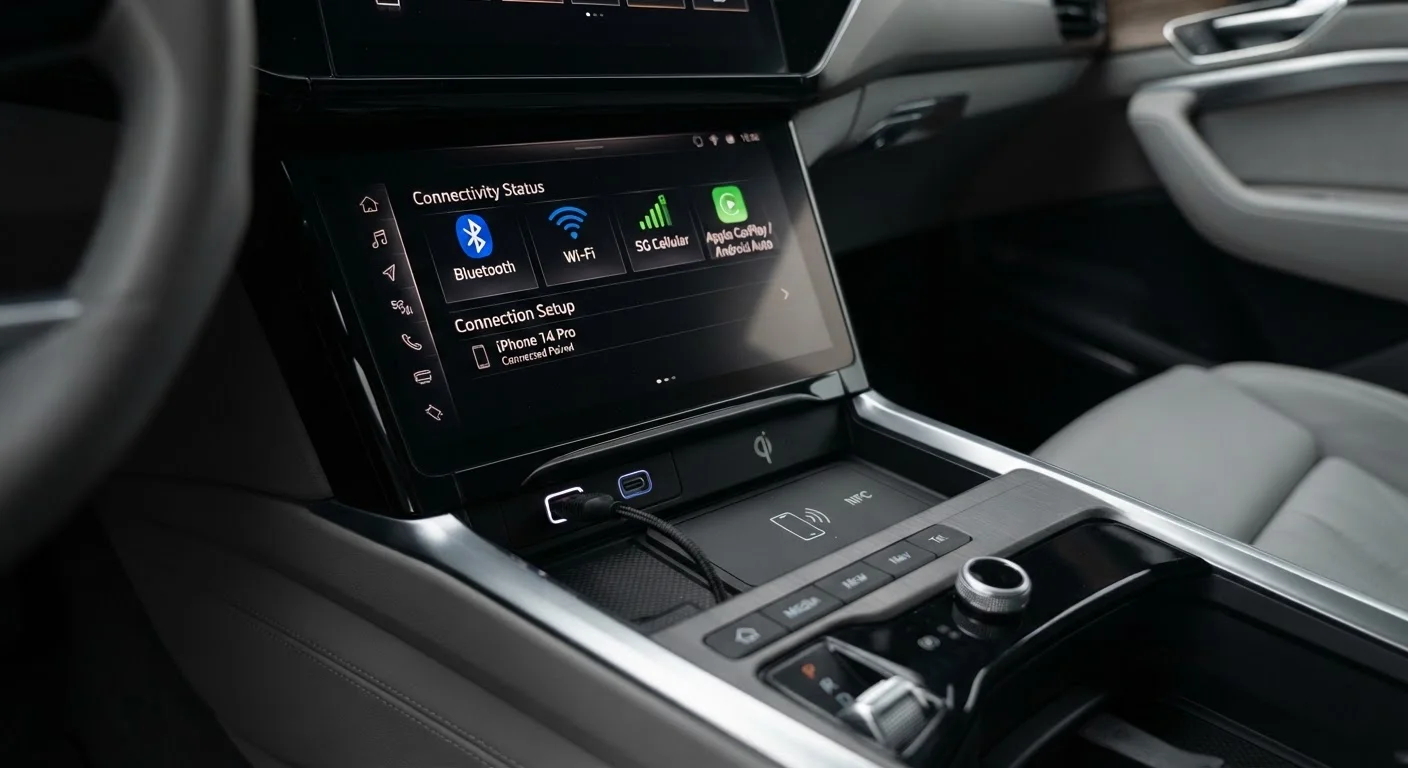
Why Connectivity Terminology Matters When You're Shopping
Window stickers and dealer spec sheets list connectivity features in shorthand - "BT audio," "4G LTE hotspot," "USB-C" - without explaining what any of it does in practice. For a daily driver, these details determine whether your phone integrates seamlessly, how fast your passengers can charge their devices, and whether the car can share internet access on a road trip.
This glossary defines the terms you're most likely to encounter, grouped by technology type. Use it as a lookup reference while comparing trims or reading a vehicle's features list. For a broader look at infotainment systems as a whole, see the complete buyer's reference on infotainment and connectivity.
Bluetooth Profile
A standardized set of rules that defines what a Bluetooth connection can do - such as streaming audio (A2DP) or enabling hands-free calls (HFP). A device must support the same profile on both ends for a feature to work.
4G LTE
Fourth-generation Long-Term Evolution cellular technology. Used in most in-car hotspots to provide internet access. Widely available across U.S. coverage areas and sufficient for video streaming and navigation.
OTA Update
Over-the-Air update. A software update delivered to the vehicle's systems via its cellular connection, without requiring a dealership visit. Common in vehicles with embedded modems.
USB Power Delivery (USB-PD)
A USB charging protocol that allows compatible ports to supply higher wattage, enabling fast charging for smartphones, tablets, and laptops. Requires both the port and the device to support the standard.
Wi-Fi Hotspot
A feature that uses the car's built-in cellular modem to broadcast a Wi-Fi network inside the vehicle. Passengers connect their personal devices to it, typically under a separate data subscription.
USB-C
A small, oval-shaped, reversible USB connector that supports faster data transfer and higher charging wattage than the older USB-A standard. Now common in newer vehicles and most smartphones.
A2DP
Advanced Audio Distribution Profile. The Bluetooth profile that enables stereo music streaming from a phone to a car's speakers. Without it, Bluetooth in a vehicle may only support phone calls.
Connected Services Subscription
A recurring fee-based plan required to activate a vehicle's in-car internet hotspot or other cloud-connected features. Often includes a complimentary trial period at the time of purchase.
Bluetooth: Profiles, Pairing, and What the Numbers Mean
Bluetooth is a short-range wireless standard used to connect your phone to the car's audio system and controls. The version number (e.g., Bluetooth 5.0) indicates the underlying standard - higher versions generally offer more stable connections and lower battery drain on your phone, though real-world differences are modest for audio use.
What matters more than the version is which Bluetooth profiles the head unit supports:
- HFP (Hands-Free Profile): Enables phone calls through the car's microphone and speakers.
- A2DP (Advanced Audio Distribution Profile): Streams stereo music from your phone to the car's audio system.
- AVRCP (Audio/Video Remote Control Profile): Lets steering-wheel controls manage playback (skip tracks, pause, adjust volume).
- PBAP (Phone Book Access Profile): Syncs your phone's contacts to the infotainment display so names appear on incoming calls.
A vehicle listing that only says "Bluetooth" without specifying profiles may support just HFP - meaning calls but no music streaming. Confirm A2DP and AVRCP if wireless audio matters to you. For a broader look at spec-sheet terminology, the spec sheet glossary is a useful companion reference.
Wi-Fi Hotspot, LTE, and In-Car Internet
An in-car Wi-Fi hotspot uses a built-in cellular modem to broadcast a Wi-Fi network inside the vehicle, similar to a mobile phone's hotspot function. Passengers connect their tablets, laptops, or phones to it directly - without draining their own phone's battery or data plan.
| Typical in-car hotspot network type | 4G LTE (5G on select newer models) |
| Subscription required for hotspot | Yes - usually billed monthly or annually |
| Max simultaneous hotspot connections | Typically 5-8 devices (varies by vehicle) |
| Common trial period at purchase | 3 months to 1 year (varies by automaker) |
| OTA update availability | Requires embedded cellular modem |
Key terms to know:
- 4G LTE / 5G: The cellular network generation the modem uses. 5G offers faster peak speeds where coverage exists; 4G LTE remains the more widely available standard across most U.S. driving routes.
- Connected services subscription: In-car hotspots almost always require a separate data plan, billed monthly or annually through the automaker or a carrier partner. Trial periods are common at purchase, but ongoing costs are the buyer's responsibility.
- OTA (Over-the-Air) updates: Uses the car's cellular connection to download software updates to the infotainment system or vehicle firmware without visiting a dealership. Increasingly common on newer platforms.
- Wi-Fi Direct: A peer-to-peer Wi-Fi connection between two devices without a router - occasionally used for faster data transfers to the vehicle but less common than standard hotspot functionality.
USB Standards: Types, Speeds, and Charging Power
Not all USB ports in a car do the same thing. The port's physical shape and the standard it uses determine both charging speed and data capability.
- USB-A: The rectangular legacy connector most people recognize. Common in older vehicles; supports charging and data but at slower speeds than newer standards.
- USB-C: The oval, reversible connector now standard on most smartphones and laptops. Supports faster charging (especially with USB Power Delivery) and faster data transfer. Increasingly replacing USB-A in newer model-year vehicles.
- USB 2.0 / 3.0 / 3.1: Data-transfer speed ratings. For CarPlay or Android Auto, USB 2.0 is sufficient. USB 3.0 and above matter if you're transferring media files.
- USB Power Delivery (USB-PD): A charging protocol that allows a port to supply significantly more wattage - relevant if you want to fast-charge a laptop or tablet in the car.
- Charge-only port: Some rear-seat USB ports supply power but carry no data signal. They won't connect a phone to the infotainment system, only charge it.
When comparing trims, note how many USB ports are included and where they're located - front console versus rear seat - as well as whether they're USB-A or USB-C. This is also covered in the complete infotainment buyer's reference.